
With this app, you can record videos even with your mobile screen turned off, so no one will know that you are recording them. This feature is especially useful in situations where you want to save battery life or avoid drawing attention to your phone while recording. The app continues capturing video in the background without displaying the camera preview on the screen. It is simple to use, lightweight, and works smoothly on most Android devices. You can also manage your recorded videos directly within the app, making it convenient to view, organize, or share them whenever needed.
Before using this feature, always make sure you follow local laws and respect other people’s privacy. Recording someone without their knowledge or consent may be illegal or unethical depending on where you are.
Features
– Record videos even when your phone screen is turned off.
– Continue recording in the background without interrupting other tasks.
– Save videos in high quality with smooth performance.
– Simple and user-friendly interface for easy navigation.
– Quickly access, play, and manage recorded videos within the app.
– Lightweight app that uses minimal system resources.
– Supports both front and rear cameras on compatible devices.
– Option to customize video quality and storage location.
How to Use
Using the app is simple and doesn’t require any technical knowledge. Follow these steps to get started:
1. Download and install the app on your Android device.
2. Open the app and grant the required permissions, such as Camera and Storage access.
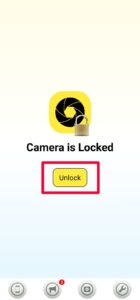
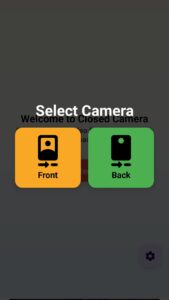
3. Select your preferred camera (front or rear) and adjust the video quality if needed.
4. Tap the Record button to start recording.
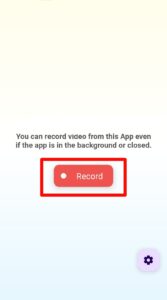
5. Turn off your phone’s screen if you want to record discreetly. The app will continue recording in the background.
6. When you’re finished, unlock your phone and stop the recording.
7. Open the app to view, manage, or share your recorded videos.